Welda Stock
Kiosk Sales Software
Error-free sales at high tempo
At a kiosk each transaction is small but the tempo is high: drinks and snacks add up to hundreds of sales a day. Writing them down one by one is impossible, and the evening count is usually an estimate.
Welda Stock's fast checkout screen records every transaction in seconds. How much of which product was sold and what should be in the till is in front of you as a report at the end of the day; stock for fast-moving items updates by itself.
Welda Stock
Demo screens from the app
The screens below are from the real app, with sample data tailored to this sector.
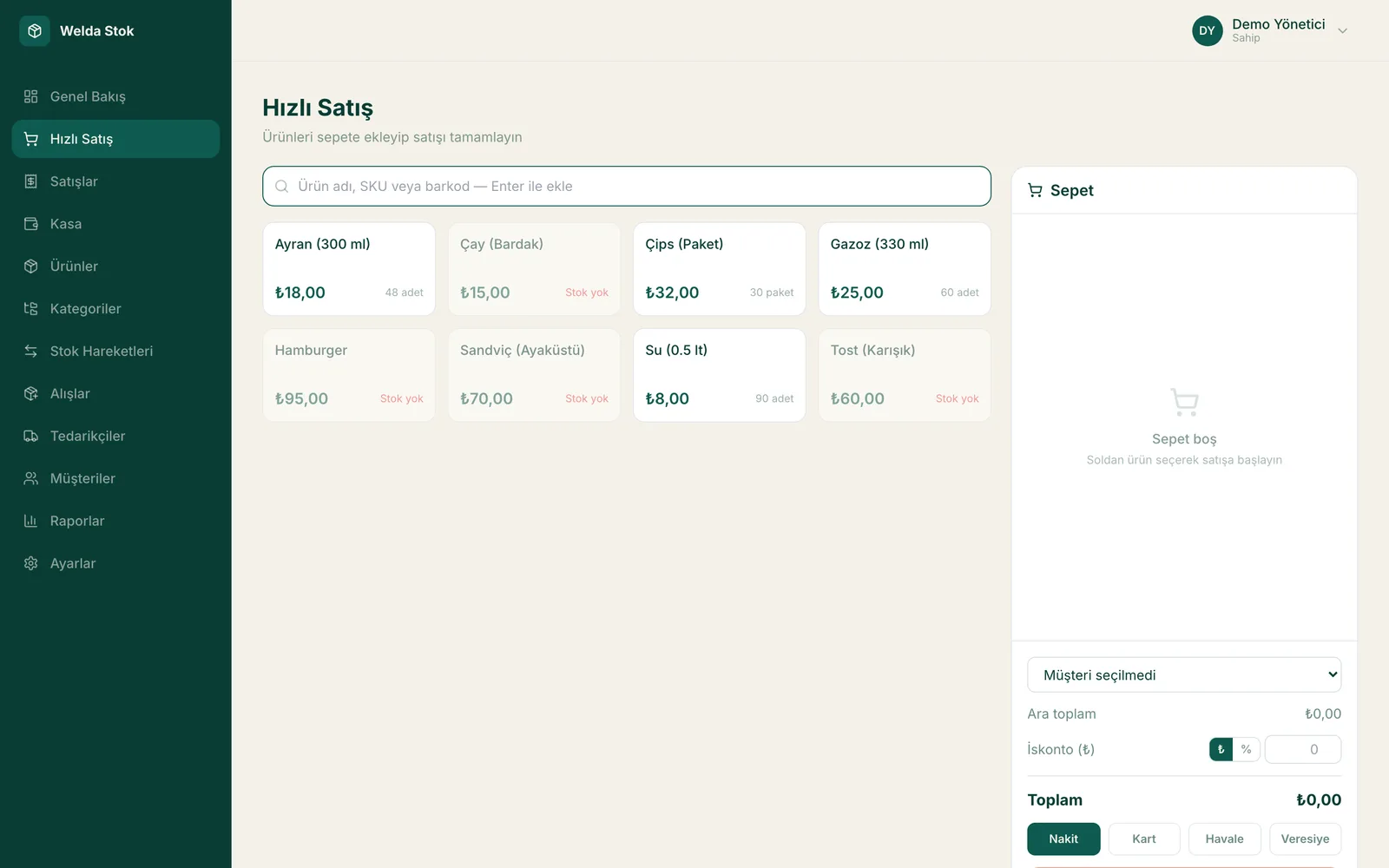
Fast checkout (POS)
Challenges
The challenges of running a kiosk
High transaction volume
Hundreds of small sales a day; records cannot keep up and revenue relies on guesswork.
Fast-turning stock
Drinks and snacks are restocked several times a day; a missing item is a lost sale.
Shift work
Morning and night shifts are different people; till handover and responsibility must be clear.
Till discrepancies
Whether the cash in the till matches the day's sales is unknown.
The Solution
What Welda Stock solves in your kiosk
Sales recorded in seconds
With the fast checkout screen, every transaction is captured even at the busiest hours.
Shifts and permissions
Each employee works under their own account; who sold what, and in which shift, is tracked.
End-of-day till report
The daily closing report settles sales, collections and the cash position.
A day at your kiosk with Welda
The lunchtime rush
At lunchtime a queue forms for drinks, toasties and snacks. You scan items with the barcode reader or pick them on the fast checkout screen; each sale is recorded in seconds and the receipt is printed. By the time the queue clears, every unit sold has already been deducted from stock.
Shift handover
Different people run the till in the morning and evening shifts. Each employee logs in with their own user, so sales are recorded per user. At handover the report shows who sold what and how much should be in the till, so clear figures replace arguments.
Late-night close and reordering
The end-of-day report gives total sales and the till position; compare it with the cash you counted and any discrepancy shows up immediately. Fast-moving drinks and snacks appear on the low-stock list, so tomorrow's order for the wholesaler is ready before you lock up.
FAQ
Frequently asked questions
What happens at shift change?
Each user works under their own account; sales are recorded per user and an intraday report is taken at the end of the shift.
Can I see till discrepancies at the end of the day?
Yes. The closing report lets you compare recorded sales with the till position; if there is a gap you notice it the same day.
Can you load my product list for me?
During setup we migrate your existing product list together; bulk import from Excel or your current list is included.
How much does the kiosk software cost?
We offer accessible, business-specific pricing for small businesses. There is a one-time setup fee; we reply with a quote within 24 hours.
My kiosk is small. What do I need to get started?
A computer with a browser, a standard barcode scanner and a stable internet connection are enough. The software is web-based; together with our team, setup and product list import are usually completed the same day.
Can I also track what I owe the wholesaler?
Yes. You enter wholesaler invoices on the supplier's account; the goods are added to stock and your balance is updated. As you pay, you see the remaining debt on one screen.
Guides
Guides for Kiosk businesses
Before you decide
- Spreadsheet vs Inventory Software: Where Each One Fits
- POS-Only Software or an Integrated Inventory and Sales System?
- Desktop or Web-Based Inventory Software: Which Fits Your Shop?
- Free Tools or Professional Inventory Software? An Honest Comparison
- Paper Credit Book vs Digital Account Tracking: An Honest Comparison
- Welda Stock pricing
Run your kiosk with Welda Stock
Request a free demo; setup and product migration are completed the same day.
- Free consultation
- Same-day reply on business days
- Ongoing support
Prefer not to fill in a form?