Welda Stock
Greengrocer Software
Manage weighed sales and daily prices on one screen
In a produce shop prices change every day, sometimes within the day; most items are sold by weight and some spoil before they reach the end of their shelf life. Tracking this by hand is slow and widens the gap between the till and your stock at day's end.
Welda Stock gathers all product movement in your shop into a single panel. It resolves the weight/price barcode printed by the scale automatically and lets you update daily prices in bulk; sales are posted to stock in real time and you see your margin per product clearly.
Welda Stock
Demo screens from the app
The screens below are from the real app, with sample data tailored to this sector.
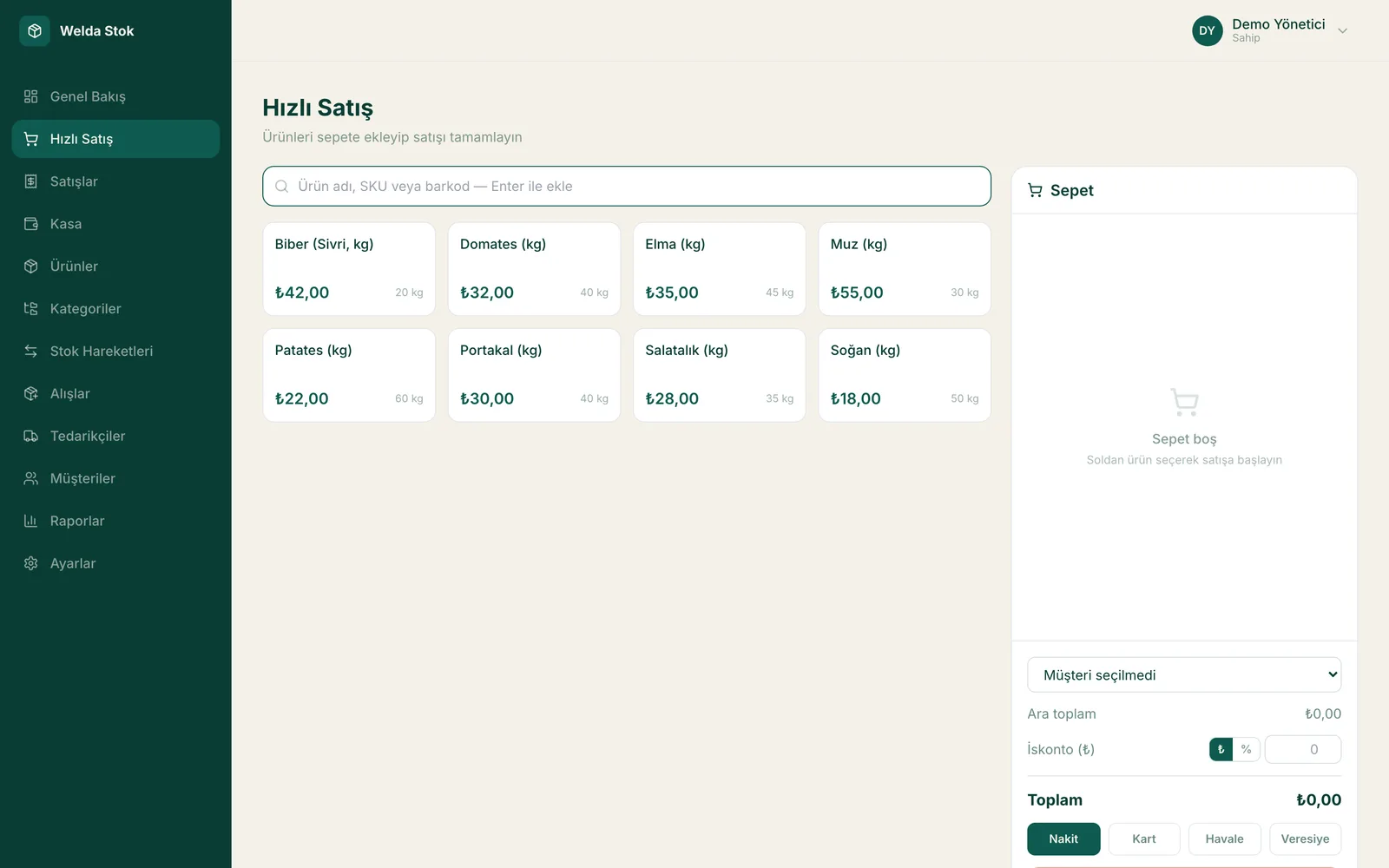
Fast checkout (POS)
Challenges
The challenges of running a greengrocer
Prices that change daily
Fruit and vegetable prices shift day to day, even within the day; updating labels by hand takes time and invites mistakes.
Sales by weight
Most items are sold by the kilo; entering weight and price by hand at the till is slow and creates receipt inconsistencies.
Spoilage and waste
When rotten, bruised or expired items go unrecorded, stock and profit figures drift off.
Speed at peak hours
A slow till builds queues during the morning and evening rush; a waiting customer may walk away.
The Solution
What Welda Stock solves in your greengrocer
Scale barcode and fast checkout
It resolves the weight/price barcode printed by the scale automatically; scan the item and complete a weighed sale in seconds, error-free.
Daily price updates
Update changing produce prices in bulk, quickly; sales are always posted at the current price.
Spoilage records and profit analysis
Log spoiled or written-off items as waste; see your real per-product margin and sales reports with one click.
A day at your greengrocer with Welda
Back from the wholesale market
You enter the tomatoes, peppers and fruit you bought at the wholesale market against the supplier's invoice. Because purchase prices are recorded, your per-product margin is updated; you set the day's sale prices with that margin in view and update prices in bulk when needed.
Scale barcodes at the till
A customer puts their bags on the scale; when you scan the label it prints, weight and price are decoded automatically. Items sold by the piece are added by barcode. The sale is done in seconds, the receipt is printed and each product's stock drops by the kilo.
Evening spoilage and close
At the end of the day you record bruised, spoiled or unsellable produce as waste. The end-of-day report shows sales and the till position; with spoilage included, you see clearly where you really made money and where you lost it, and plan tomorrow's buying accordingly.
FAQ
Frequently asked questions
Does it support scale (weight) barcodes?
Yes. It automatically resolves the weight/price barcodes printed by retail scales; scan the item and complete a sale by weight in seconds, error-free.
Can I easily update prices that change every day?
Yes. You can update product prices in bulk; sales are always posted at the current day's price, so you don't have to revise every label one by one.
How do I track spoiled or wasted produce?
You log rotten, bruised or unsellable items as waste; stock is deducted automatically and your profit report reflects real sales.
How much does the greengrocer software cost?
Pricing is tailored to your branch and user count. There is a one-time setup fee with no hidden costs. In a free consultation we'll learn what you need and work out the price together.
Can I track what I owe suppliers at the wholesale market?
Yes. You record each supplier's invoices and update the balance as you pay. You see how much you still owe each trader or supplier on a single screen.
Can regular customers buy on store credit?
Yes. With store credit and account tracking you post the sale to the customer's account and see each customer's balance and payment history on one screen.
Guides
Guides for Greengrocer businesses
- Greengrocer Waste: How to Track Spoilage and Cut LossesWhere does greengrocer waste come from and how do you record it? Per-product waste rates, sales-based daily orders and the right time to mark down.
- Greengrocer Pricing and Profit: Tracking Daily Buying CostsWholesale prices change every day. Here is how a greengrocer can record purchases, review prices daily, see gross profit per product and compare suppliers.
- Produce Store POS Software: How to Choose for Weighed Sales and Daily PricesChoosing produce store POS software comes down to three tests: morning repricing, selling loose items with no barcode, and whether waste reaches your margin report.
Before you decide
- Spreadsheet vs Inventory Software: Where Each One Fits
- POS-Only Software or an Integrated Inventory and Sales System?
- Desktop or Web-Based Inventory Software: Which Fits Your Shop?
- Free Tools or Professional Inventory Software? An Honest Comparison
- Paper Credit Book vs Digital Account Tracking: An Honest Comparison
- Welda Stock pricing
Run your greengrocer with Welda Stock
Request a free demo; migrating your existing product list and training your team are included in setup.
- Free consultation
- Same-day reply on business days
- Ongoing support
Prefer not to fill in a form?